
Cybersecurity Basics for Freelancers: Protecting Clients and Yourself
If you’re a freelancer or virtual assistant, your workday probably looks like this: you log into your computer, access your own accounts—and often your clients’ accounts—connect from different Wi-Fi networks and locations, finish your tasks, and close your laptop.
But have you ever stopped to think about how secure all of that really is?
Most people don’t—usually because nothing bad has happened yet. Or at least, nothing serious enough to raise alarms. But once sensitive information is leaked, hacked, or misused, it’s often too late to fix the damage.
That’s why understanding basic cybersecurity matters.
Knowing how to safely access accounts, recognize suspicious emails, avoid dangerous links, and protect client data isn’t optional anymore—it’s part of being a professional.
In this interview, Valentin helps us understand what freelancers and virtual assistants actually need to know to protect themselves and their clients, so you can work with confidence and earn long-term trust.
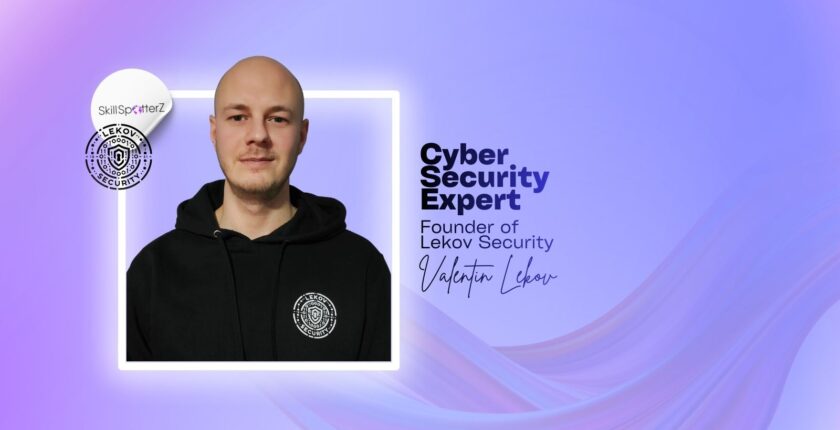
Meet Valentin, the Cyber Security Engineer.
 This month’s spotlight is on Valentin Lekov — Cybersecurity Engineer and Founder of Lekov Security.
Valentin specializes in web application penetration testing and continuous security monitoring.
Through his work, he helps individuals and businesses understand how easily data can be exposed—and what they can do to prevent it.
In a digital world where information is constantly at risk, Valentin’s mission is to make security understandable, practical, and accessible- before something goes wrong.
At SkillSpotterZ, we spotlight creative minds to help companies and remote talent grow together – sharing real talk and practical insights from inside the industry.
💬A lot of freelancers think, “I’m not in tech, so cybersecurity doesn’t apply to me.” Why is that a dangerous way of thinking?
This is a dangerous way of thinking for all of us and not just freelancers.
Nowadays, we are all using the Internet, and one small mistake (like falling for phishing) can lead to hacked accounts, lost money, or leaked client data.
Therefore, everyone should have good cyber hygiene: strong and unique passwords, a password manager, and two-factor authentication (2FA) for important accounts.
💬From what you’ve seen, what are the most common security mistakes freelancers and VAs make without even realizing it?
Since they all work remotely through the Internet and, depending on their work, may sometimes handle sensitive client data, the previous question also highlights some security mistakes that they can make by being less informed and having poor cyber hygiene.
As previously mentioned, these include:
- Falling victim to social engineering (phishing/smishing/vishing)
- Not using a password manager and therefore using weak passwords (easier to crack) or reusing them, which can make you a target after a breach
- Failing to implement 2FA in order to add an extra layer of security, which helps a lot even if your credentials are discovered in a breach
💬If you were a hacker, why would freelancers and virtual assistants be attractive targets? What makes them easier to attack?
It all boils down to being uninformed about cybersecurity (which makes you an easier target), while having access to important client data.
Most people go day-by-day without knowing or learning anything about protecting themselves (and their clients) online.
What makes them an attractive target is that even one compromised freelancer account can lead to crucial client data leaks, and sometimes even access to the client’s systems, which makes the damage much bigger.
💬What kind of client information do freelancers usually underestimate, but hackers actually care a lot about?
In my opinion, every type of client information is equally important and worth protecting, even a phone number, an email address, or other personal information that is often deemed not so critical.
Hackers can use this data to guess passwords, pretend to be the client or a coworker, and make social engineering attacks much more believable.
💬Can a freelancer or VA accidentally put a client at risk even if they have good intentions? How does that usually happen?
Depending on their work, they themselves may fall victim to social engineering, thus leaking data that can put their client at risk.
Not all information is worth sharing with everyone, and oversharing (for example screenshots, internal email threads, or client details in public chats), even if with good intentions, can give hackers enough information for more advanced attacks.
💬What are the biggest online threats freelancers should realistically worry about today—emails, fake links, hacked accounts, something else?
The biggest threats are social engineering and account takeovers, because they happen every day.
Basically, if you are not expecting an email or message, treat it as suspicious:
- Do not rush
- Do not click links blindly (if you are on a computer, hover over the link first to see where it really goes, and on phones you can long-press to preview it)
- Verify the sender through another channel if it feels off (by verify, I mean: do not use the phone number/link inside the message — use a website/number you already know is real).
- If it looks suspicious, report it as phishing/spam (if your email app has that option) and delete it.
- You may sometimes not be able to fully stop an attack, but you can still limit it by reacting fast (changing passwords, enabling 2FA, and informing the client if needed).
💬Many freelancers work from home on personal laptops. What are the must-do basics to keep their devices and Wi-Fi safe?
My advice is to be mindful of what you install on the laptop, keep your system and antivirus up-to-date, and if possible, keep personal and work life separate (separate laptops if you can, or at least separate user accounts and browsers).
Nothing can guarantee 100% security, but each extra security measure adds barriers and makes attacks harder.
For Wi‐Fi, change default router passwords, use a strong Wi‐Fi password, and for public networks, avoid doing work- related logins or handling sensitive client data.
💬We all reuse passwords sometimes. Why is that such a big problem, and what’s the easiest way to manage passwords properly?
As previously mentioned, breached (and cracked) passwords can be reused by hackers to log into other accounts and services you possess if you reuse the same password for them.
Basically, one leaked password can lead to multiple hacked accounts.
Therefore, password managers are the easiest and best choice for managing strong and unique passwords.
💬Two-factor authentication feels annoying to some people. From your experience, is it really worth it?
In cybersecurity, we think in layers of defense instead of 100% security, since no one can guarantee that.
Therefore, using multiple forms of authentication can help you protect your accounts even if you make the mistake of reusing the same password, since the hacker would need to trick you into giving away your one-time password (OTP) via phishing, or find a real vulnerability to bypass 2FA.
All of this takes additional time and adds complexity to the attack.
💬What are some warning signs that something isn’t right—like an account or email being hacked—that freelancers should never ignore?
Some small things that should not be ignored and may hint at a compromise:
- Login alerts from devices/locations you do not recognize (locations are not always perfect, but still a red flag)
- Password reset emails or OTPs you did not request
- Changes to security settings you did not make (recovery email/phone changed, 2FA disabled, new devices added)
- Emails marked as read, or sent emails you do not recognize
- Messages that create urgency or pressure you to act fast (especially around payments, passwords, etc.)
💬If a freelancer realizes they clicked the wrong link or made a security mistake, what should they do first? And what should they not do?
Clicking an unknown link does not always mean you are compromised, and it depends on what security mistake was made.
If you are not sure, stop and verify what it was by going directly to the real website/app (not through the link) or contacting the company/client using trusted contact details.
If you think you were phished and you entered credentials into a fake login page, immediately change your password and enable 2FA if it is not enabled.
If client accounts or data might be involved, contact the client early and be honest, and if you have a friend/coworker who can help, ask for help right away- feeling ashamed and staying silent usually makes things worse.
Also report the message as phishing so it is less likely to hit you or your coworkers.
💬How can freelancers talk about security with clients in a professional way, without sounding clueless or overly paranoid?
In cybersecurity, we use something called a playbook — a set of predefined steps that we can follow in a given event, such as an account compromise.
When something happens, you do not panic.
Instead, you follow the steps and know what to do.
Therefore, freelancers can ask the client if they have any policies or guidelines in place (who to notify, what to do first, what tools they use) for situations like compromises, suspicious emails, or unintended data deletion.
💬Do clients and employers actually care if a freelancer understands basic cybersecurity? Can this be a trust or hiring advantage?
Every additional thing we know gives us an advantage over other candidates, and thus a greater probability of being hired.
The same goes for cybersecurity — the more we know, the better, and clients usually see it as professionalism and trust.
Since the Internet is a big part of our personal and work lives, we should all learn at least the basics of cybersecurity.
💬If you had to give freelancers and VAs just three simple security habits to start using today, what would they be?
I would suggest the following:
- Start using a password manager for strong and unique passwords
- Implement two-factor authentication (2FA)
- Learn to recognize social engineering attempts (phishing/smishing/vishing) and always verify when something feels off.)
